Access protection · on your servers
New armor. Same equipment.
Armor ID checks who gets into your VPNs, firewalls, remote desktops, servers and applications, and keeps a record of every attempt. It works with the equipment you already have and runs on your own servers.
- SSL and IPsec VPNfrom any vendor
- Firewalls and network gearadministrative access
- Remote desktopRD Gateway · RD Web
- Windowslocal and RDP sign-in
- Linux serversSSH
- Web applicationsSAML 2.0
What Armor ID is
A second factor at every point of entry.
A stolen password opens the VPN, the firewall or the remote desktop of any company. Armor ID adds to every login a factor the attacker does not have, without replacing your equipment.
Multi-vendor
One MFA server for firewalls, VPNs and remote desktops from different vendors. No lock-in to a single brand.
On your servers
Installed in your infrastructure, even with no internet access. Your users' data never leaves your premises.
Traceable
Every login, accepted or denied, is written to a chained log that exposes any tampering.
How it works
Sign in as usual. Get in only once confirmed.
The device hands the password to Armor ID, which validates it against your directory and asks the user for the second factor. Only when it is confirmed does the device let the user in.
What the user sees · a VPN login
Types the password
the same one used in Windows
The device asks for the code
Armor ID already validated the password
An email arrives
Armor ID already validated the password
Your computer prompts you
through the Armor ID agent
Reads it on the phone
no data or signal needed
Approves from the email
no code to type
Confirms with Windows Hello
on the computer itself
Gets in, and it is logged
no confirmation, no access
How it connects to your network
Your equipment, any vendor
- FortinetFortiGate · SSL and IPsec VPN
- CiscoASA · AnyConnect
- Palo Alto NetworksGlobalProtect
- WatchGuardFirebox · Mobile VPN
- SonicWall · SophosNetExtender · SSL VPN
- HPE ArubaAdministrative access
- MicrosoftRD Gateway · RD Web · Windows
- And other vendorsmore than 20 in total · standard RADIUS
connected over RADIUS, RadSec or SAML
On your servers
 ARMOR ID
validates the password
and asks for the second factor
The user confirms
- App codeAuthenticator on the phone
- Email approvalapprove or reject, no code
- Windows Hellowith the Armor ID agent
- FIDO2 keyfor the console and the portal
If the user does not confirm, access is denied and logged.
Capabilities
Powerful features, clear benefits.
What it asks for to confirm, what it protects and how it stays under control.
Factors
Four ways to confirm that whoever signs in is who they claim to be.
App code
Google or Microsoft Authenticator. Works even when the phone has no data.
Email approval
The user approves or rejects the attempt from their email, on devices with nowhere to type a code.
Windows Hello
Approval on the device itself with face, fingerprint or PIN, through the Armor ID agent.
FIDO2 keys
For the console and the portal, with a physical key and no codes that can be stolen.
Access
The equipment, systems and directories it connects to.
Multi-vendor
Firewalls, VPNs and remote desktops from different vendors, protected from one place.
Windows sign-in
MFA when signing in to the computer and over remote desktop (RDP).
Single sign-on
Web applications over SAML 2.0, with Armor ID as the identity provider.
Active Directory
Syncs users over LDAP or LDAPS, and adds local users for external staff.
Control
What gets logged, who administers and where your data lives.
Tamper-evident log
Chained and signed records: any change to the history is detected.
Roles and permissions
Each administrator sees and does only their part, and every change leaves a trail.
Offline installation
Deployed in containers on your servers, including isolated networks.
AES-256 encryption
Secrets are stored encrypted, with a dedicated key for each organization.
The console
Everything in view, in real time.
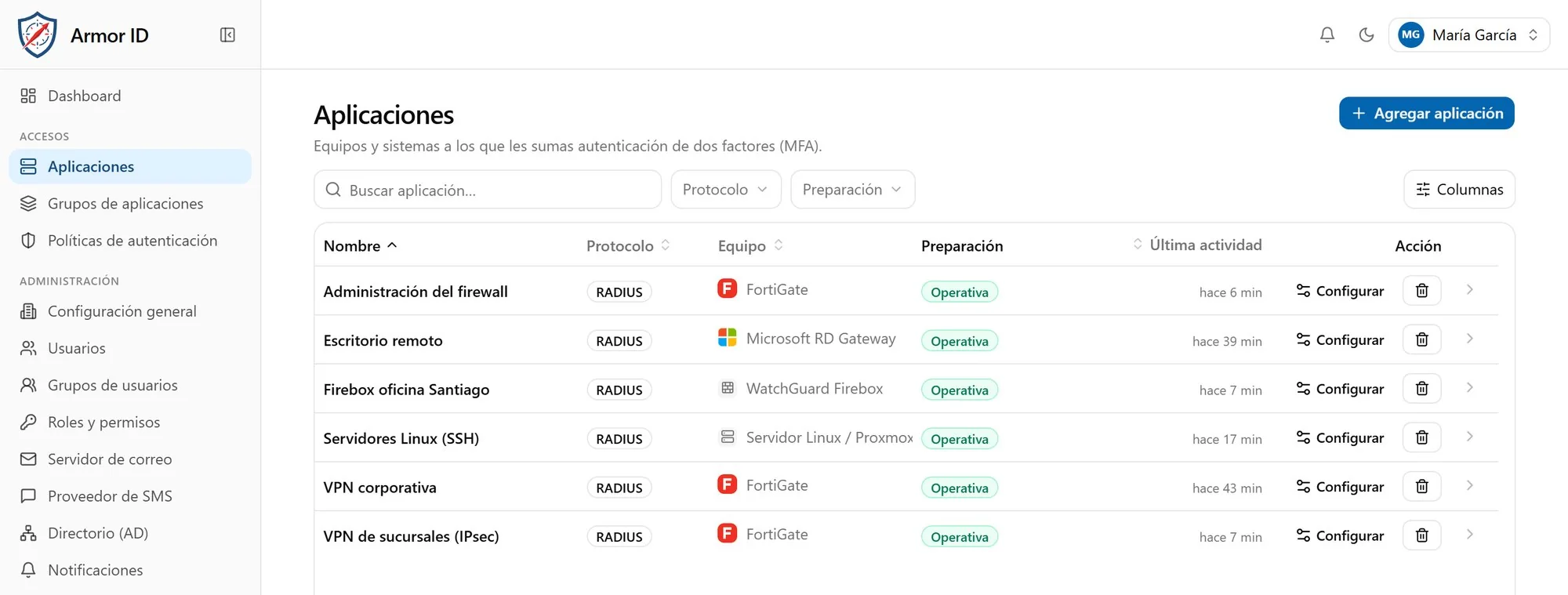
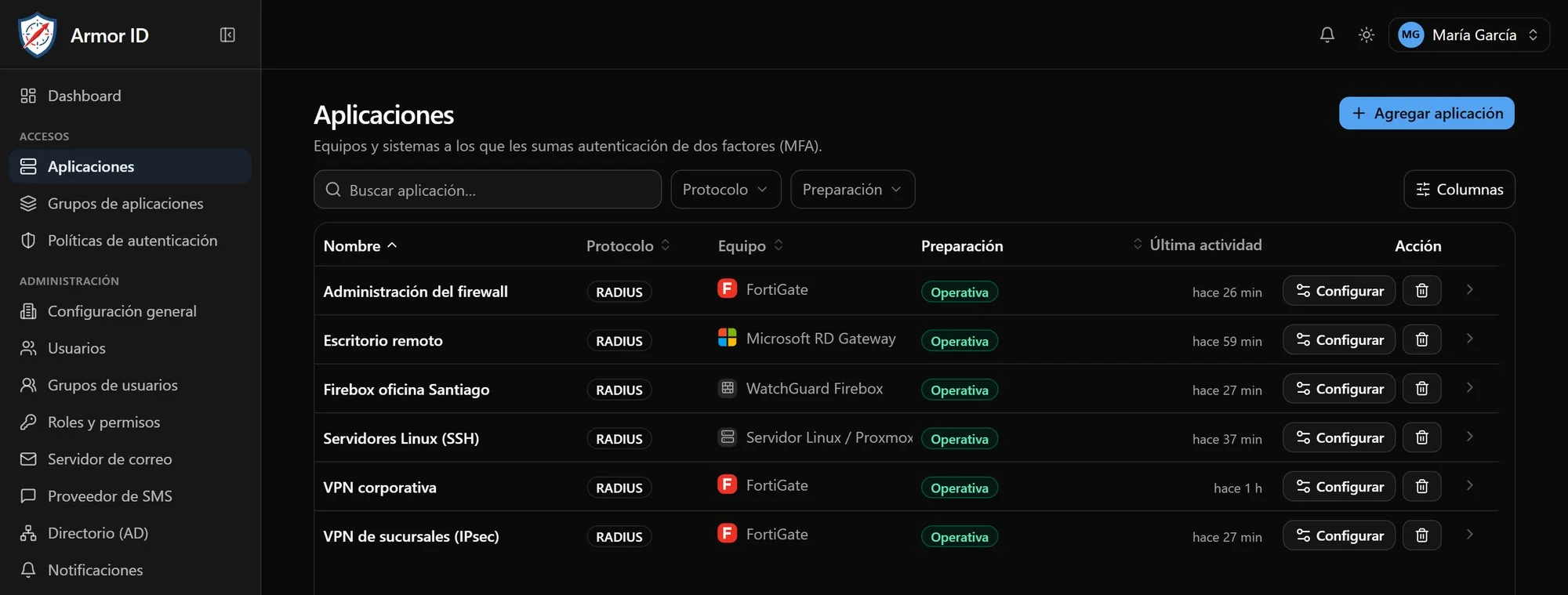
Every login attempt is recorded with who, from where, on which device and with which factor.
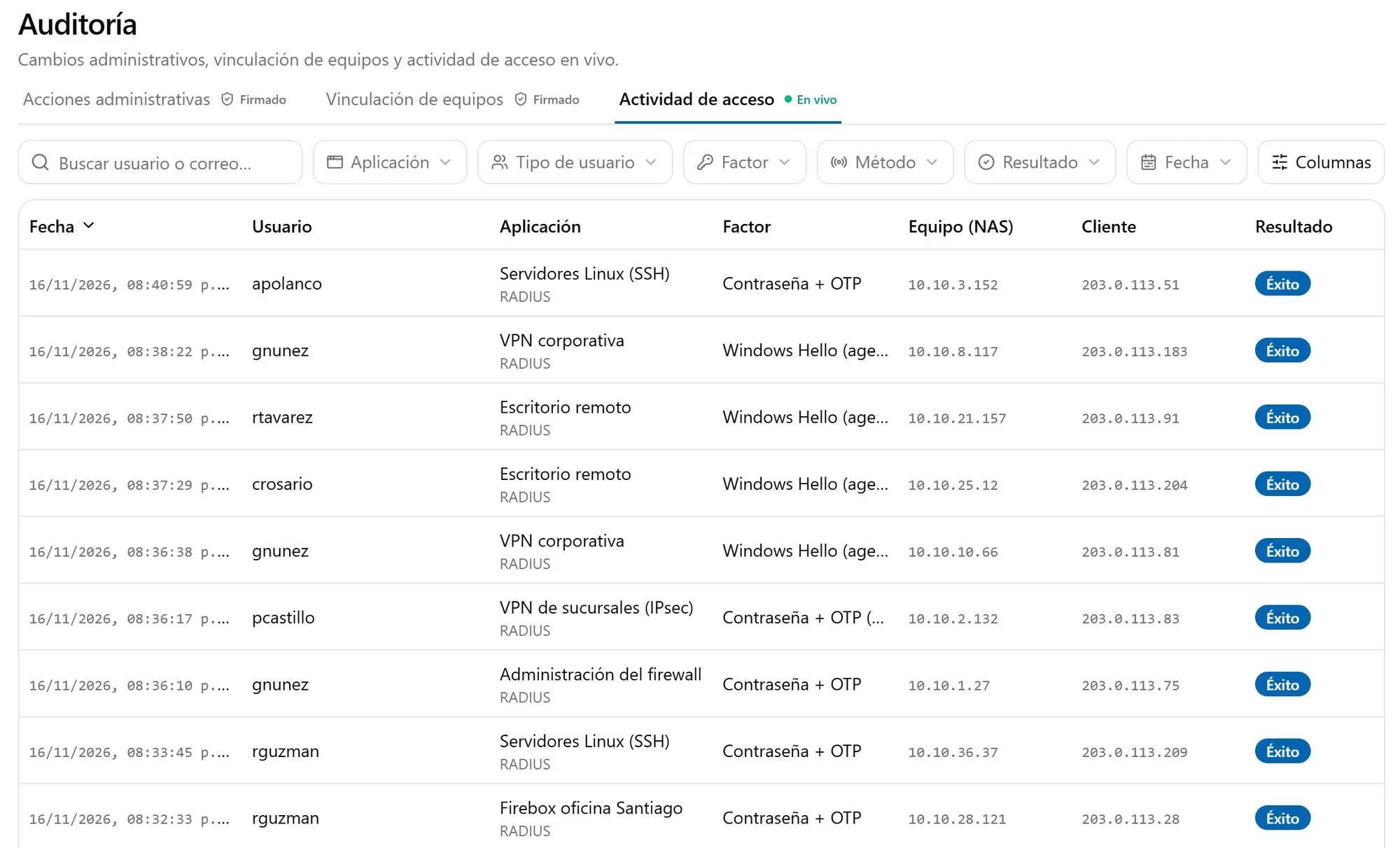
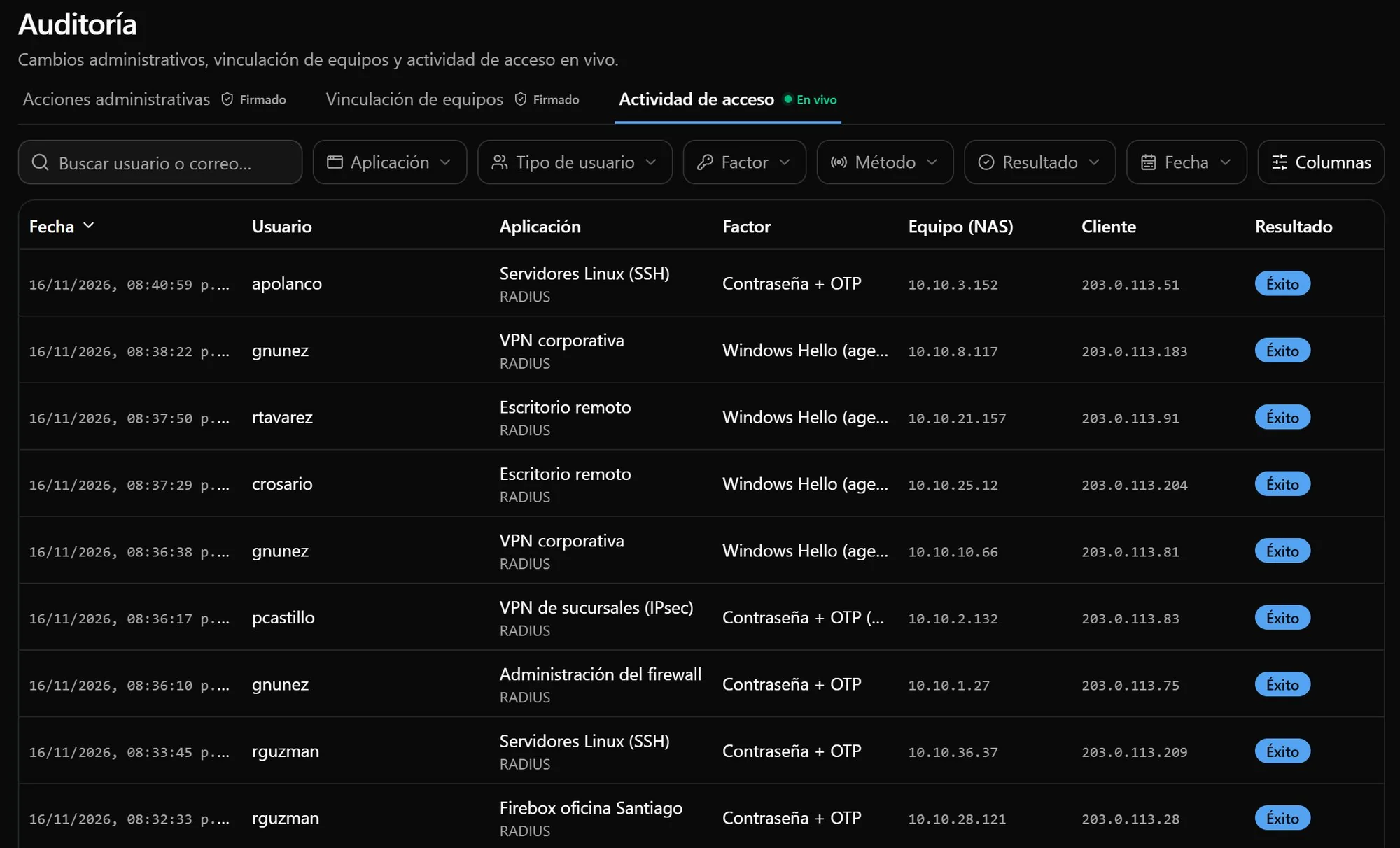
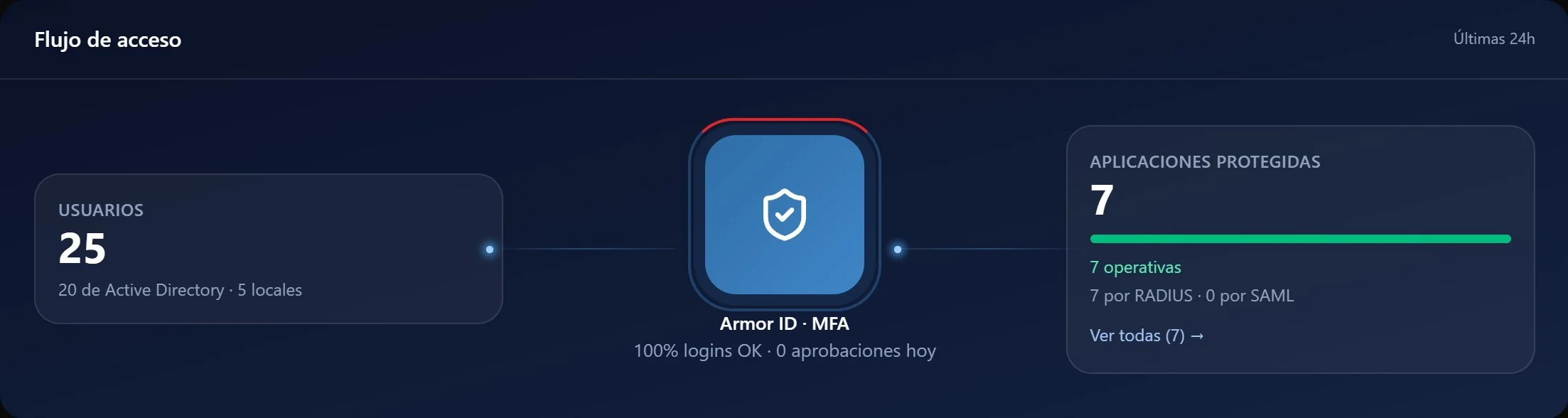
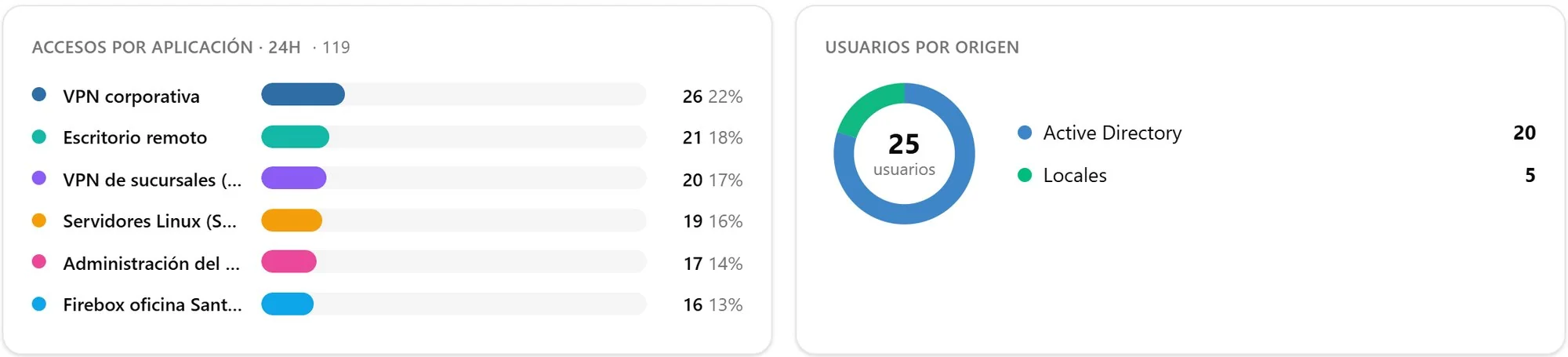
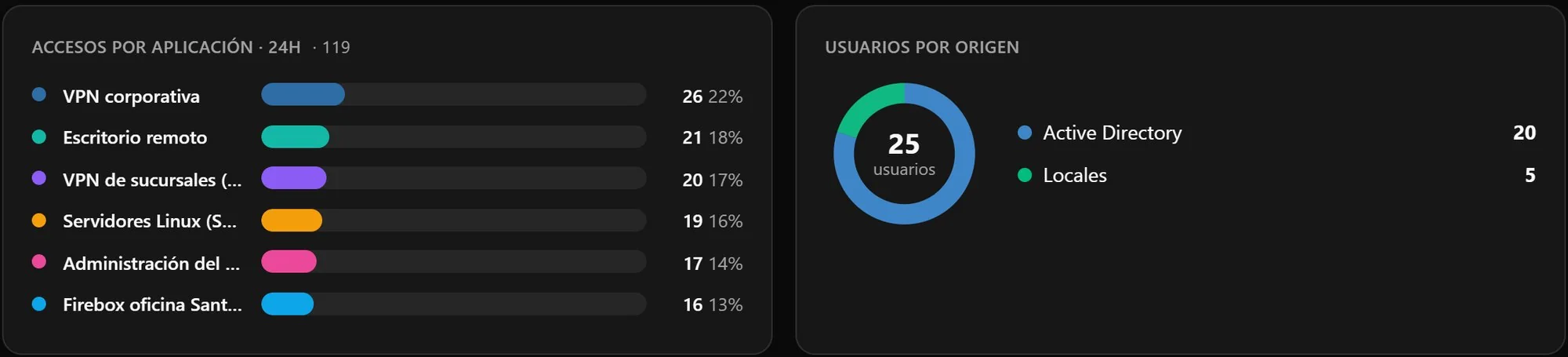
Console screenshots with sample data, shown in Spanish. Tap a screenshot to see it in full.
Policies per device
Which factor is required on each VPN, firewall or remote desktop.
Guided enrollment
Users activate their factor on their own, from a link.
Who can get in
Each application open to everyone or only to certain people and groups.
Integrations
Works with more than 20 vendors.
If your equipment authenticates over RADIUS, it can use Armor ID. It does not depend on the vendor: it depends on the standard.
By access type
- SSL VPN
- IPsec VPN password and code in one step
- Administrative access to network equipment
- Remote desktop RD Gateway · RD Web
- Windows sign-in local and RDP
- Linux servers over SSH
- Web applications over SAML
- Captive portals
By protocol
- RADIUS RFC 2865
- RadSec RFC 6614
- SAML 2.0
- TOTP RFC 6238
- FIDO2 / WebAuthn
- LDAP and LDAPS
- Message-Authenticator Blast-RADIUS
By vendor and other vendors compatible with the RADIUS standard
- Fortinet
- Cisco
- Palo Alto Networks
- Check Point
- Juniper Networks
- WatchGuard
- SonicWall
- Sophos
- Ivanti
- F5
- Citrix
- Barracuda
- Forcepoint
- Huawei
- Hillstone Networks
- Stormshield
- Zyxel
- MikroTik
- Ubiquiti
- HPE Aruba
- Extreme Networks
- Ruckus
- pfSense
- OpenVPN
- Microsoft
Server requirements
- Deployment
- On-premises, in containers · offline installation available
- Directory
- Active Directory or LDAP · local users
- Security
- Message-Authenticator required · secrets encrypted with AES-256 · chained log
Frequently asked questions
What people usually ask.
Have another question? Write to us and we will answer it.
Do I have to replace my firewalls or my VPN?
No. If your equipment authenticates over RADIUS, it can use Armor ID. It does not depend on the vendor: it depends on the standard, which is why it works with more than 20 firewall, VPN and network vendors.
Where does my users' data live?
On your servers. Armor ID is installed in your infrastructure and your users' data never leaves your network. Secrets are stored encrypted with AES-256, with a dedicated key for each organization.
Does it work on a network with no internet access?
Yes. It is deployed in containers on your servers, including isolated networks, and offline installation is available. The app code works even when the phone has no data or signal.
What do my users need to confirm?
Up to four factors, depending on the access: a code from an app such as Google or Microsoft Authenticator, an email approval, Windows Hello on their own computer, or a FIDO2 key for the console and the portal. Users activate their factor on their own, from a link.
Which directories does it work with?
With Active Directory or an LDAP directory, over LDAP or LDAPS. You can also create local users for external staff who are not in your directory.
How do I know who signed in, when and from where?
Every login attempt, accepted or denied, is recorded with the user, the device, the source and the factor used. The log is chained and signed: any change to the history is detected.
What server do I need?
A server running Ubuntu Server 24.04 LTS with 4 vCPU, 8 GB of RAM (16 GB recommended) and 100 GB of SSD storage.
Armor ID
Why Armor ID?
Because it protects with MFA what only a password guards today, with the equipment you already own, without taking your data out of your network and with a record of every login that any auditor can review.